Short verdict
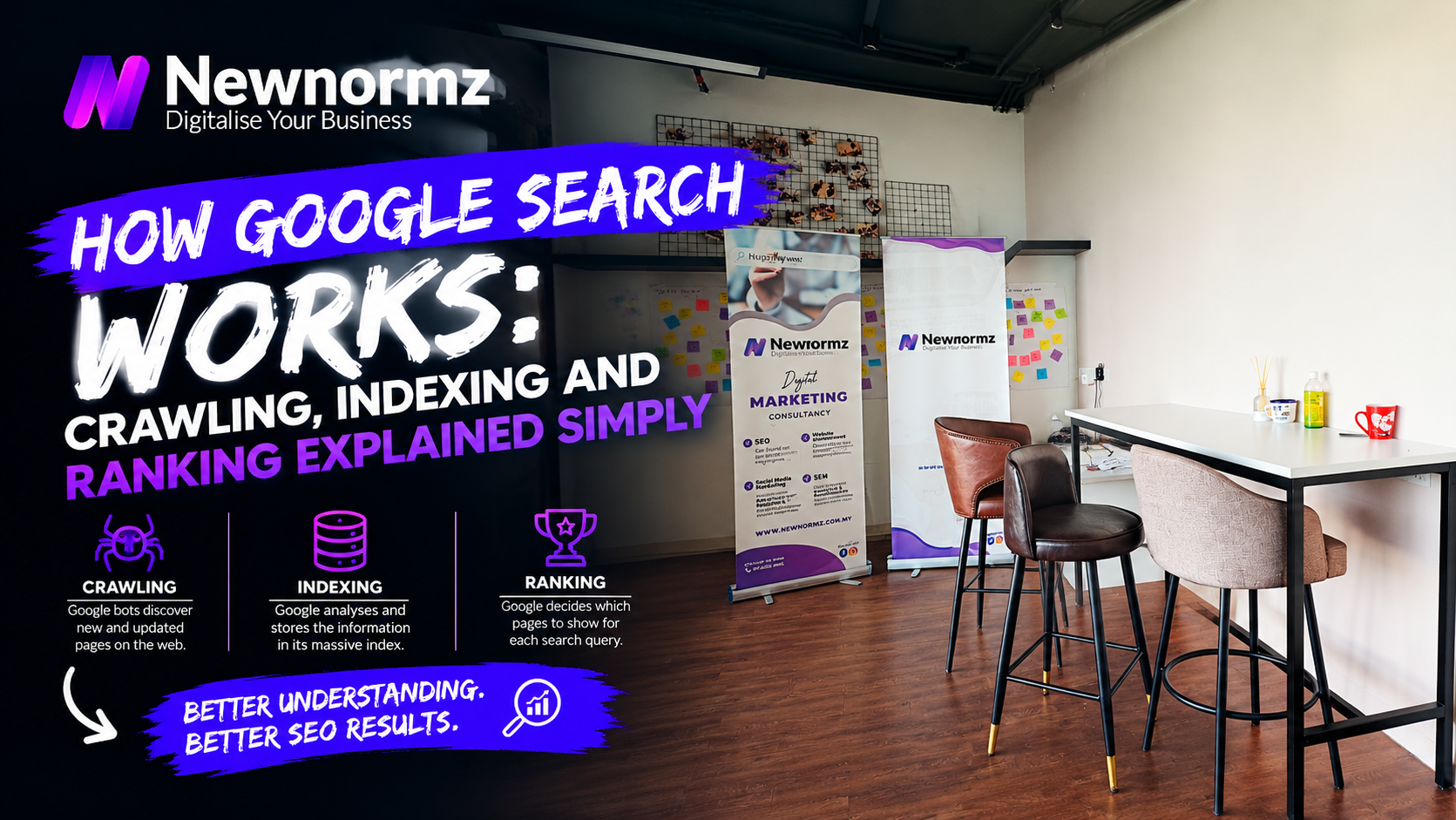
Google only ranks pages it has already crawled and indexed, so most sites that “don’t rank” are stuck at an earlier stage. If you searched “how Google search works Malaysia” because your site barely shows up, that is the short answer. Google’s own documentation describes three stages (crawling, indexing and serving results), and a page has to clear each one in order. Google handles roughly 93 to 96% of Malaysian searches (Statcounter), so a page that fails the first two stages is close to invisible. The fix depends on which stage is failing, and Search Console tells you which one it is.
How Google Search Works in Malaysia: One Page, Three Gates
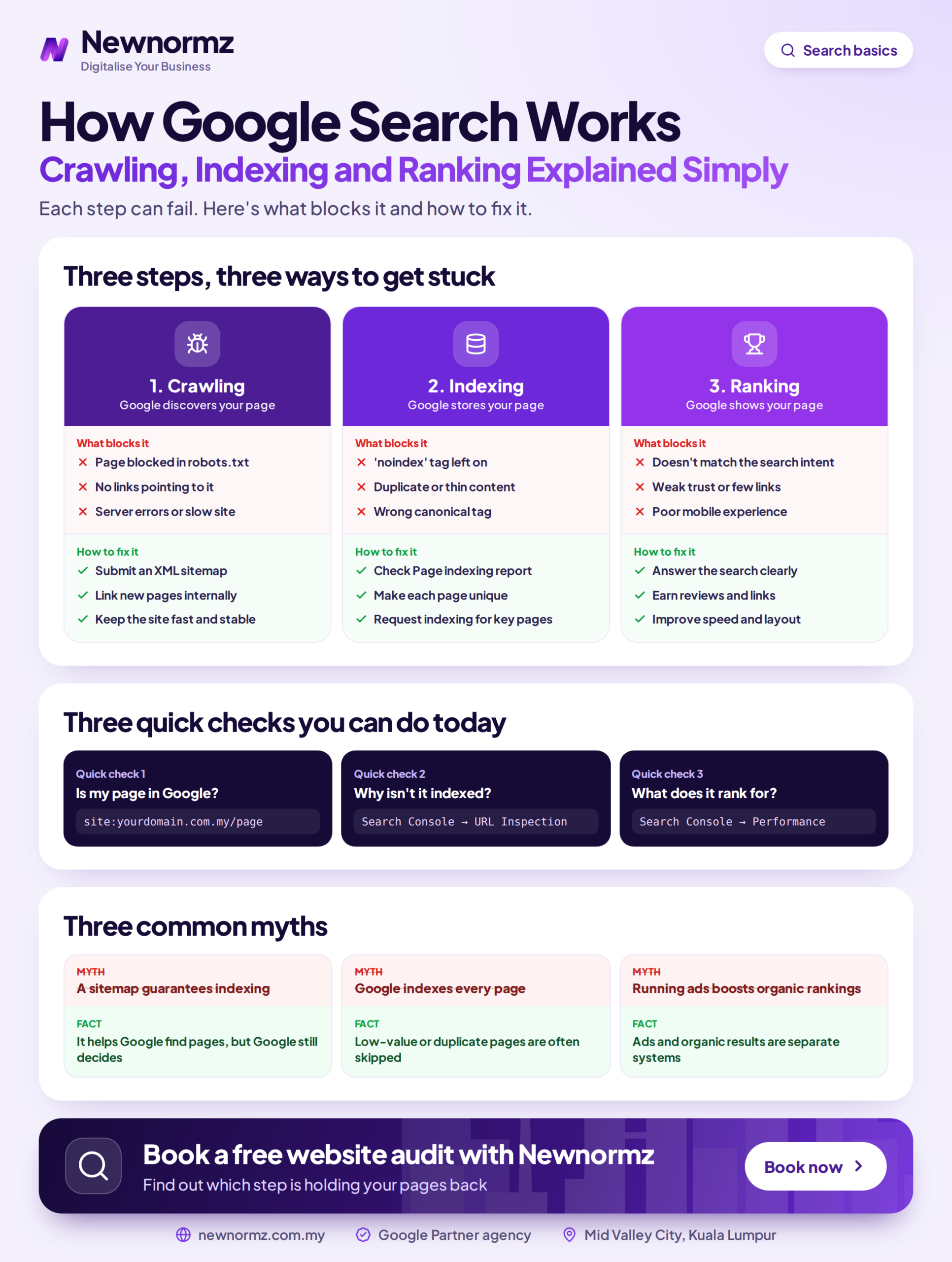
Think of each stage as a gate. A page that fails crawling never gets indexed, and a page that is never indexed can’t rank, however good the writing is. That is why ranking advice (more keywords, more backlinks, longer content) does nothing for a page Google hasn’t stored.
The table below maps each gate to what usually blocks it and where the problem shows up in Google Search Console.
| Stage | What Google does | What can stop your page | Where you see it in Search Console |
|---|---|---|---|
| 1. Crawling | Googlebot discovers the URL and fetches the page, mobile version first | robots.txt blocks, no internal links, server errors, staging settings left on | URL Inspection (“Crawl allowed?”), Page indexing report (“Blocked by robots.txt”) |
| 2. Indexing | Renders the page, works out what it covers, picks a canonical and decides whether to store it | noindex tag, thin or duplicate pages, wrong canonical, missing hreflang | Page indexing report (“Crawled currently not indexed”, “Excluded by noindex tag”) |
| 3. Ranking (serving) | Matches stored pages to each search and puts them in order | Weak relevance, thin expertise, few links, slow mobile pages, wrong language or location | Performance report (impressions, average position, queries) |
Google Crawling Explained: How Googlebot Finds Your Pages
So what is Googlebot? It is Google’s crawler, the program that requests your pages much like a browser does. There are three main answers to how Google finds websites: it follows links from pages it already knows, it reads your XML sitemap, and it picks up URLs you submit in Search Console.
A new page with no links pointing to it and no sitemap entry is an orphan. Google may find it eventually, or it may not find it at all. If you haven’t done it yet, set up Google Search Console properly before anything else. It is the only place where Google tells you directly what it saw on your site.
Googlebot also crawls as a smartphone. Google’s switch to mobile-first indexing is complete, so Google uses the mobile version of your page. Most Malaysians search on their phones, which makes this a double problem: a menu that only works on desktop, tabs that don’t load on mobile, or text hidden to tidy up the mobile layout are invisible to your customers and to Google.
The robots.txt and Staging Mistakes That Lock Google Out
From our audits
A web developer hands over a new WordPress site with “Discourage search engines from indexing this site” still ticked, or with a robots.txt “Disallow: /” left over from staging. The site looks perfect in a browser and gets no Google traffic for months. The fix takes five minutes: on launch day, open yourdomain.com.my/robots.txt, untick that WordPress setting, and run URL Inspection on the homepage.
A healthy setup for your XML sitemap and robots.txt is simple. Your robots.txt blocks only what genuinely shouldn’t be crawled (admin areas, cart and checkout pages) and names your XML sitemap URL. The sitemap lists only live pages that you want indexed, not redirects or 404s.
Google Indexing Explained: Why “Crawled” Doesn’t Mean “Stored”
Google says plainly that it doesn’t index every page it crawls. After fetching a page, Google renders it, decides what it’s about, and checks whether it adds anything the index doesn’t already have. Many Malaysian sites lose pages at this stage.
The usual causes are duplicates (the same page reachable at several URLs, with Google picking a different canonical from the one you wanted), a stray noindex tag, and thin or near-identical pages. A common example is 15 location pages that differ only by the town name: “Plumber Puchong”, “Plumber Kajang”, “Plumber Klang”, each with the same text. Google tends to index one or two and ignore the rest.
Language versions cause a quieter problem. If your site has English, Bahasa Malaysia and Chinese versions of a page, hreflang tags tell Google they are translations of each other. Without them, Google may treat the versions as duplicates or show the English page to someone searching in BM. Our strategists work in all three languages, and missing or broken hreflang is one of the first things we check on a multilingual Malaysian site.
Reading the Page Indexing Report: Four Statuses and What Each One Means
Open Search Console, go to Indexing, then Pages. The reasons listed under “Why pages aren’t indexed” tell you what to do next. (Search Console puts a dash inside the first two status names; we’ve left it out below.)
For screenshots and the exact sequence, see our guide to fixing each indexing status step by step.
Worked Example: What 40 Unindexed Service Pages Cost a KL Clinic
This is a hypothetical example, but the pattern is common. A KL clinic’s site has 60 pages, and the Page indexing report shows that 40 of them, mostly treatment and service pages, aren’t indexed.
Suppose each indexed service page brought in a modest 2 WhatsApp enquiries a month, at an average first visit of RM150. That gives 40 pages × 2 enquiries × RM150 = RM12,000 a month of potential business the site never had a chance to compete for. The numbers will differ for your business, but the point stands: indexing is a revenue problem, not a technical footnote.
An unindexed page doesn’t rank badly. It doesn’t compete at all.
How Google Ranks Websites Once They’re Indexed
Once a page is stored, Google’s ranking systems decide where it appears for each search. Nobody outside Google has the full list of Google ranking factors, but the ones Google talks about publicly fall into five plain-English groups:
- Relevance: does the page match what the searcher meant, including BM queries and mixed Manglish phrasing such as “klinik gigi near me”?
- Quality and E-E-A-T: experience, expertise, authoritativeness and trust, shown through real authors, real examples and accurate information.
- Authority: other reputable sites linking to yours.
- Page experience: Core Web Vitals, which measure loading, responsiveness and visual stability on mobile.
- Context: the searcher’s location, language and device.
Links still carry a lot of weight in that mix. This breakdown of how links affect your rankings explains where they matter and where they don’t.
Two points to keep in mind. Google has stated publicly that no one can guarantee a specific ranking position. Organic positions also can’t be bought: Google Ads appear in separate, labelled ad slots, and paying for ads doesn’t change your organic ranking.
Why “Near Me” and Map Results Follow Different Rules
Local searches such as “dentist Subang Jaya” usually show the local pack, the map with three Google Business Profile listings, above the regular results. Google ranks those listings on relevance, distance and prominence, in its own words, so your profile, reviews and location matter as much as your website. Our playbook for ranking in Google Maps for KL and Selangor covers that system in detail.
Where AI Overviews Fit Into Crawling, Indexing and Ranking
Google AI Overviews and AI Mode draw on the same index as regular search. Google’s guidance on AI features says that a page has to be indexed and eligible to show a snippet before it can be used. That is the clearest answer to how Google AI Overviews choose sources: they pick from pages that have already cleared the first two gates. Industry studies put about 76% of AI Overview citations as coming from pages already in the traditional top 10, so getting through the three gates is still the first step towards AI visibility. Sunway TCM Centre, for example, appears in Google AI Overview results for treatment searches after fixing its crawling and indexing first.
If you want to understand the commercial side, here is what AI Mode does to your traffic.
Two Recoveries That Started at the Crawling and Indexing Stage
Neither of these results came from publishing new content first. Both came from removing blockers at the earlier gates.
Client example
My Lovely Baby: 100% of lost traffic recovered after a broken migration
Problem: A site upgrade broke the URLs and traffic dropped overnight, because Google could no longer reach the pages it had indexed.
What we did: A migration audit and recovery to reconnect the old URLs and get the new ones crawled and indexed.
Result: 100% of lost traffic recovered, and 85% of target keywords (“baby shop”, “baby stroller”, “baby car seat”) on page 1 within 9 months.
Client example
Sunway TCM Centre: 80% of target keywords on page 1 in 4 months
Problem: Technical issues were holding pages back from being crawled and indexed properly.
What we did: A technical rebuild, crawl and indexing fixes, and AEO structuring so answers could be lifted into AI results.
Result: +150% keywords, 80% of target keywords on page 1 within 4 months, and appearances in Google AI Overview results for treatment searches.
Diagnosing a migration or a site with hundreds of excluded URLs is usually where business owners bring in an SEO agency in Malaysia, because the fixes touch redirects, templates and server settings at the same time.
Not sure which gate your site is stuck at? We’ll check crawl access and indexing status in a free SEO audit.
Why Is My Website Not Showing on Google? A 15-Minute Self-Check
You can run this check yourself this week without hiring anyone. Work through the steps in order, because each one rules out a gate.
Search site:yourdomain.com.my
Type it into Google. If nothing appears, you have a crawling or indexing problem. If only a handful of pages appear on a 50-page site, note which ones are missing.
Open the Page indexing report
In Search Console, compare indexed and not-indexed pages, then match each reason to the four statuses above.
Inspect your top 3 money pages
Paste each URL into the URL Inspection tool. Check “URL is on Google”, “Crawl allowed? Yes” and which canonical Google chose.
Check robots.txt and your sitemap
Open /robots.txt and look for a stray “Disallow: /”. Confirm that your sitemap URL loads and has been submitted under Sitemaps in Search Console.
Test the mobile view
Open your key pages on a phone. Every service, price and menu link that you can see on desktop should be reachable on mobile too.
Search your main service in English and BM
Google search in Bahasa Malaysia often surfaces different competitors from the English query, so check both and note who ranks and what their pages offer that yours doesn’t. If your pages are indexed but outranked, you are at the ranking gate. If you used to rank and then stopped, that is a different problem: start with this guide to recovering from a sudden ranking drop.
Set realistic timelines. Google’s documentation says indexing a new page can take anywhere from a few days to a few weeks. Once pages are indexed, we tell clients to expect technical fixes in weeks 2 to 6, the first ranking movement around day 60 to 90, and traffic and lead growth in months 4 to 8.
FAQ: How Google Finds, Stores and Ranks Malaysian Websites
How does Google find a new website in Malaysia?
Google finds a new website through links from sites it already knows, through your XML sitemap, and through URLs you submit in Search Console. A brand-new .com.my domain with no links pointing to it can wait a long time, so submit your sitemap on launch day.
How long does Google take to index a new website?
Google’s documentation says indexing can take from a few days to a few weeks. Pages that are linked from your menu or from strong existing pages usually get picked up faster than orphan pages.
What is the difference between crawling and indexing?
Crawling is Googlebot fetching your page, and indexing is Google deciding to store it so it can appear in results. A page can be crawled and still not indexed if Google judges it duplicate, thin or excluded by a tag.
Why is my page crawled but not indexed?
Usually because Google saw the page and decided it adds too little beyond what it has already stored. Near-identical location pages, short service pages and duplicated product descriptions are the usual culprits, and rewriting or merging them is the fix.
Can I pay Google to rank higher in organic results?
No, organic rankings can’t be bought. Google Ads appear in separate, labelled ad positions, and Google has stated that no one can guarantee a specific organic ranking.
Does Google rank Bahasa Malaysia and English pages separately?
Yes. Google treats each language version as its own page and tries to show the one that matches the searcher’s language. hreflang tags tell Google which pages are translations of each other, so the BM version reaches BM searchers instead of competing with your English page.
How does Google decide which pages appear in AI Overviews?
AI Overviews draw on pages that are already indexed and eligible for snippets, and they often cite pages that rank well. Industry studies put about 76% of citations as coming from pages in the traditional top 10, so clear, well-structured answers on an indexed, ranking page give you the best chance.
Crawling, indexing or ranking?
Find out exactly which gate is holding your site back
Newnormz runs SEO for 200+ Malaysian businesses on month-to-month terms, with a written page 1 guarantee and a 5.0 rating from 214+ Google reviews.
No obligation. We check crawl access, indexing status, mobile rendering, language versions and ranking gaps.

Bryan Tan is an SEO Specialist and CEO at Newnormz, helping hundreds of businesses achieve first-page rankings on Google. With a passion for driving organic growth, Bryan blends innovative strategies with hands-on experience to optimize websites for maximum visibility. Always at the forefront of the latest SEO insights and trends, he consistently adapts to the evolving digital landscape.