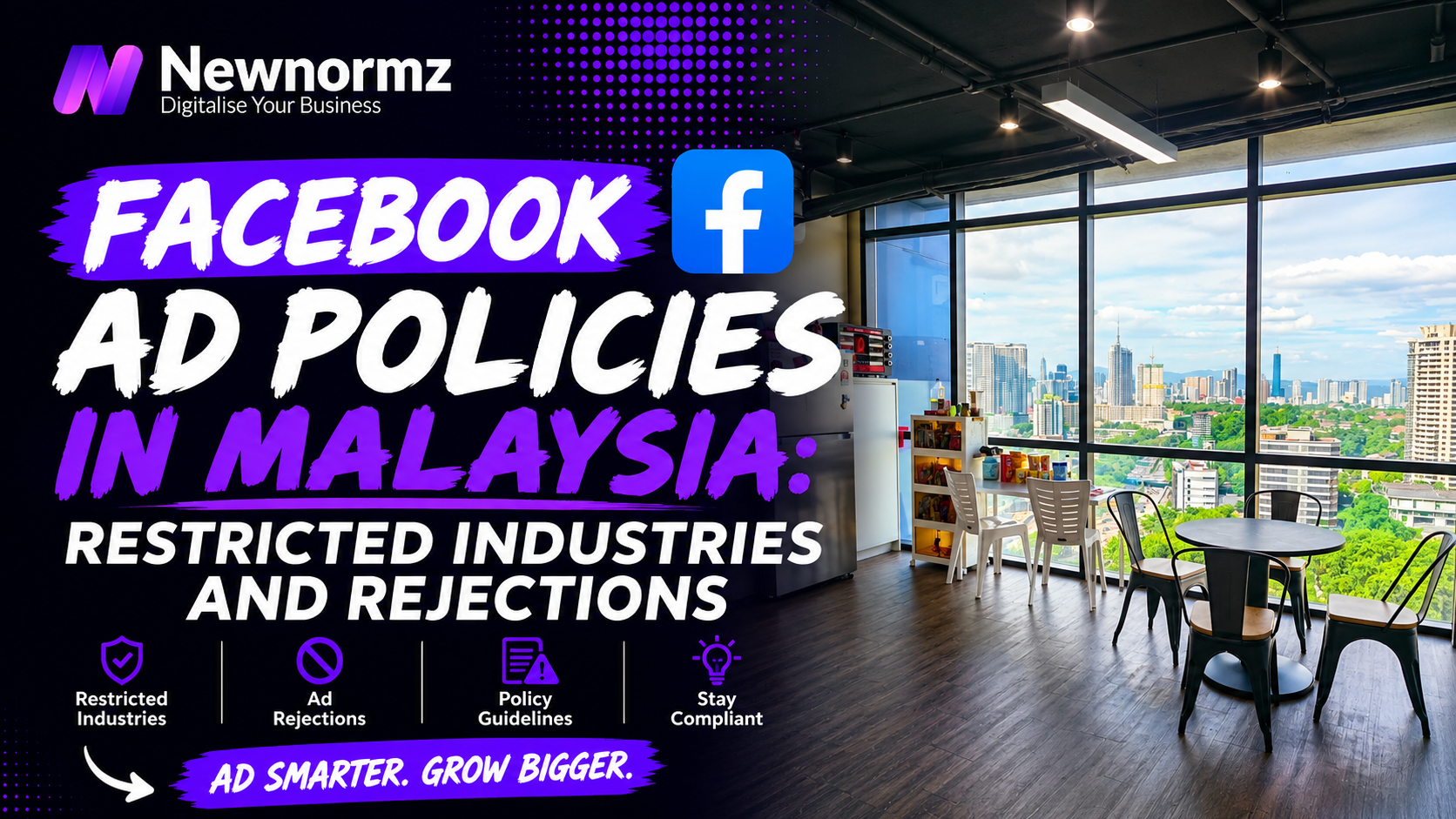
Getting a Facebook ad rejected two days before a launch makes it easy to blame a strict algorithm. In most Malaysian ad accounts, though, the rejection comes from a small set of repeat mistakes: copy that calls out the reader’s body or money problems, before-and-after images, claims nobody can prove, a landing page Meta can’t trust, a missing Special Ad Category, or a restricted product set up like an ordinary one. Find the trigger Meta actually matched, fix that one thing, then request a review once. Guess and resubmit over and over, and a single rejected ad can turn into a restricted ad account.
This guide is for Malaysian business owners and marketers running Meta ads, especially in clinics, aesthetics, supplements, property and finance. By the end you’ll be able to decode a rejection, rewrite the ad so it passes, and decide whether to edit, appeal or rebuild.
Facebook Ad Rejected? First Check Whether It’s the Ad or the Account
A rejected ad and a restricted ad account are different problems. A rejected ad is one piece of creative that failed review, and Ads Manager shows it as “Rejected” with a policy reason. A restricted account is a penalty on the whole account: you can’t launch new ads, and spending may stop altogether. You’ll see that in Account Quality, inside Meta Business Suite.
Before you change anything, work out which of the two you’re dealing with. When people ask “why was my Facebook ad rejected?”, the answer is usually already in Ads Manager. Most of them just haven’t opened the right panel.
Read the exact policy named
In Ads Manager, hover over or click the rejected ad and open the rejection details. Write down the policy name word for word. “Personal attributes” and “Non-functional landing page” need completely different fixes.
Open the ad preview and the landing page on your phone
Meta reviews the text, the image or video (including any text inside the video), the targeting and the destination. Load the page on mobile data, not office Wi-Fi, and check that it opens, matches the offer and doesn’t hide behind a pop-up.
Check Account Quality for anything wider
Open Account Quality and look at the ad account, the Page and your own profile. If something is restricted at that level, the rest of this guide comes second. Sort out the account first.
One more distinction: an ad that is approved but barely spends hasn’t been rejected. That’s a delivery problem, and our guide to Facebook ads that aren’t delivering covers it.
The Rejection Reason Decoder: What Meta Says vs What Actually Triggered It
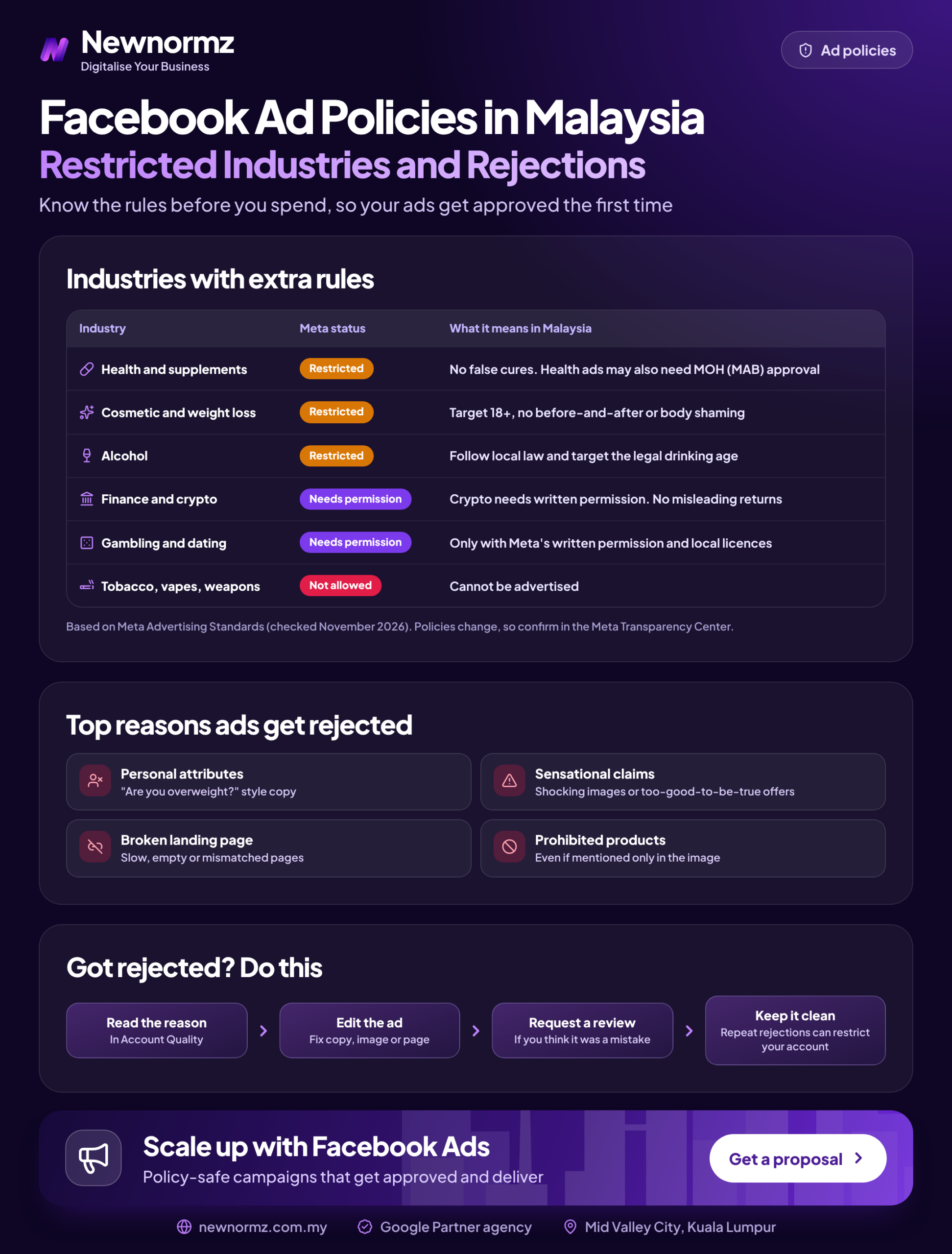
The Meta Advertising Standards name the policy, but they rarely tell you which word or image tripped it. The table below matches the policy names you’ll see in Ads Manager to the triggers we most often find in Malaysian ads. Think of it as a Facebook ad policy Malaysia cheat sheet, built from the accounts we audit. Meta renames and restructures these policies from time to time, so check the current wording in Meta’s Transparency Center before you rely on any one label.
| Policy named in Ads Manager | What usually triggered it in Malaysian ads | Fix that usually passes |
|---|---|---|
| Personal attributes | “You” or “anda” next to a health condition, debt, weight or age (“Struggling with eczema?”) | Describe the service, not the reader: “Eczema care options at our clinic” |
| Personal health and appearance | Before-and-after photos, zoomed-in bellies or skin, a tape measure around a waist | Show the clinic, the doctor, the consultation or the product itself |
| Unrealistic outcomes / misleading claims | “Guaranteed”, “lose 10kg in 2 weeks”, “100% loan approval”, income promises | Explain the process and who qualifies |
| Non-functional landing page | Broken or slow page, an offer that doesn’t match the ad, a pop-up covering everything | Fix the page first, then request review |
| Restricted goods and services (alcohol, weight loss, dating, gambling, financial) | Restricted product shown to all ages and countries, or no prior permission where Meta requires it | Set age and location targeting to match the policy; apply for permission where needed |
| Special Ad Category not declared | Property, job, loan, insurance or social issue ads set up as normal campaigns | Declare the category at campaign level and rebuild the audience |
| Low-quality or disruptive content | Fake “Play” or “Close” buttons, “You won’t believe…” headlines, withheld information | Say plainly what the click leads to; remove fake interface elements |
7 Mistakes That Get Facebook Ads Rejected in Malaysia (and the Fix for Each)
They’re ordered by how often we see them in Malaysian accounts, starting with the most common.
1. Calling Out the Reader’s Body, Health or Money Problems
✗ Copy that implies you know something personal about the reader
The personal attributes policy Facebook enforces blocks ads that assert or imply someone’s health, finances, age, religion or other personal characteristics. The word “you” alone is fine. “You” placed next to a condition is not: “Are you struggling with hair loss?” reads as if Meta knows the viewer is losing their hair. This is the most common reason clinic and finance ads get rejected.
✓ The fix
Write about the service, the condition in general, or your team. Keep the reader out of the sentence that names the problem.
Meta reviews every language in the ad, not just the English. A Bahasa Malaysia or Chinese caption that breaks the same rule gets rejected the same way. Some advertisers learn this after translating a compliant English ad word for word and adding “anda” or “你” back in.
| Language | Likely rejected | Rewrite that usually passes |
|---|---|---|
| English | “Are you struggling with hair loss?” | “Hair loss treatment options, explained by our doctors” |
| Bahasa Malaysia | “Anda ada masalah jerawat?” | “Pilihan rawatan jerawat, diterangkan oleh doktor kami” |
| Chinese | “你还在为脱发烦恼吗?” | “了解我们医生提供的脱发治疗方案” |
2. Before-and-After Photos and “Perfect Body” Close-Ups
✗ Side-by-side results and body-focused images
Aesthetics, slimming and dental clinics lean on before-and-after photos because they convert well on a website. On Meta, the personal health and appearance policy restricts before and after photos. Facebook ads that zoom in on a body part to create a sense of an ideal body are restricted too. The image gets rejected even when the caption is clean.
✓ The fix
Show the procedure room, the doctor explaining a treatment, the consultation, or a patient describing the experience on camera without side-by-side results. Keep before-and-after galleries on your own website, where Malaysian health advertising rules still apply.
3. Promising Results You Can’t Prove
✗ “Guaranteed”, “100% approval”, “lose 10kg in 2 weeks”
Promised outcomes, guaranteed loan approval and income claims fall under Meta’s rules on misleading and unrealistic claims. They also drag down the quality of your leads, because they attract people who expect a miracle.
✓ The fix
Describe the process and the qualifying conditions: “A 3-step eligibility check for first-home financing” instead of “100% approval”. Facebook ad disapproved? How to fix it for this policy: delete every absolute (“guaranteed”, “instant”, “100%”) and resubmit the cleaner version once.
4. Sending Clicks to a Landing Page Meta Can’t Read or Trust
✗ A destination that breaks, mismatches or hides
Landing page rejected? Facebook ads review usually flags broken links, a page offering something different from the ad, a full-screen pop-up blocking the content, a bare WhatsApp link with no context, or a page with no business name, contact details or privacy notice.
✓ The fix
Make the headline repeat the ad’s offer, test the page on mobile data, delay or remove pop-ups, and add your company name, address, phone number and a privacy notice. For lead pages and Instant Forms, say what personal data you collect and why. That’s what the PDPA expects, and Meta checks Instant Forms for a privacy policy link.
If your website is the weak link and you can’t fix it this week, an Instant Form keeps the lead inside Facebook. Our walkthrough on setting up Facebook lead ads covers the form settings that filter out low-quality leads. For click-to-WhatsApp ads, put a pre-filled message and a clear offer in the ad, so the review (and the customer) can see what the chat is for.
5. Skipping the Special Ad Category Declaration
✗ Running property, job, loan or social issue ads as normal campaigns
Meta’s special ad categories cover financial products and services (loans, cards, insurance), employment, housing, and social issues, elections or politics. Each has its own requirements depending on where the ad runs. If you skip the declaration on an ad that fits one of them, it gets rejected.
✓ The fix
Declare the category when you create the campaign. Meta changes these categories, their names and where they apply, so check the current list in Ads Manager. Expect fewer targeting options: some age, gender, postcode and detailed interest controls are limited or removed.
Once your targeting is limited, the creative has to find the audience for you. Write ads that name the project or the job clearly enough that the wrong people scroll past. Check which custom and lookalike audiences are still available in your category before you plan around them.
6. Advertising a Restricted Product as If It Were Ordinary
✗ Default targeting on a product Meta restricts
Facebook restricted industries include alcohol, weight loss and some supplements, dating, gambling and financial services, and each has its own rules. Alcohol ads have to follow age and country targeting requirements. Meta requires weight loss ads to target people aged 18 and over. Dating and online gambling need Meta’s prior written permission, and gambling is heavily restricted under Malaysian law, so get legal advice before you spend a ringgit on it.
✓ The fix
Read the restricted content page for your product in Meta’s Advertising Standards, set age and location targeting to match it, and apply for permission where it’s required. If the product is prohibited outright, stop trying to word your way around it.
Sometimes Meta is simply the wrong channel. People searching on Google for a chiropractor already have the problem, so the ad doesn’t need to point it out. As one Google Ads example (not Meta), a chiropractic centre in PJ we manage generated 224 qualified leads at RM18.74 per lead within 60 days. Newnormz runs social alongside SEO and Google Ads, so moving budget to search is often the first thing we discuss with restricted health businesses. Our comparison of whether Google Ads suits you better goes through how to decide.
7. Hitting Resubmit Until Something Gets Through
✗ Duplicating rejected ads or tweaking one word at a time
Every rejection adds to your account’s history. Meta’s enforcement guidance says repeated policy violations can lead to restrictions on the ad account, the Page or the person running them. Ten near-identical resubmissions look like ten attempts to slip past review.
✓ The fix
Diagnose with the decoder above, make one deliberate edit that removes the trigger, then submit once. If you believe the original was compliant, request a review instead of editing.
From our audits
The restricted accounts we’re asked to rescue rarely started with one shocking ad. Usually a few borderline clinic or finance ads were duplicated across several ad sets, each rejection counted against the account, and a restriction followed. Rejected ads you keep resubmitting cost more than rejected ads you leave alone.
Edit, Appeal or Rebuild: How to Decide After a Facebook Ad Is Rejected
A restricted account is where many owners decide to bring in Facebook ads management, because getting it back takes careful, well-documented requests and a clean history afterwards.
Here’s how to request a review on a Facebook ad you believe was wrongly rejected. Meta moves these buttons around, so if your screen offers Business Support Home instead of Account Quality, follow that route. The steps are the same.
Open Account Quality
From Meta Business Suite or Ads Manager, open Account Quality (or Business Support Home) and select the ad account that holds the rejected ad.
Find the rejected ad and choose “Request review”
Check the policy listed against the ad is the one you diagnosed. Use Request review, Facebook ad by Facebook ad, only where you’ve diagnosed a false positive. In Ads Manager, the same option often appears when you hover over the ad’s “Rejected” status.
Submit once, then wait
Don’t edit or duplicate the ad while the review is pending. Meta’s Business Help Centre says most ads are reviewed within 24 hours, though some take longer, and how long a requested review takes varies.
The Malaysian Rules Meta’s Review Won’t Warn You About
Meta checks ads against its own standards, not against Malaysian law. An ad can be approved in Ads Manager and still break local rules, and if it does, you’re the one held responsible. You can go a whole year without a single Facebook ad rejected; Malaysia’s regulators can still act on an ad Meta approved.
Facebook ads for clinics and aesthetics, and for health products, are the clearest case. In Malaysia, many health product and service ads need approval from the Medicine Advertisements Board (MAB) under the Ministry of Health, and approved ads carry a KKLIU number. Check with MAB whether your specific ad needs one before you launch, not after a complaint.
Investment, lending and insurance promotions have their own rules too. Check them against Securities Commission Malaysia or Bank Negara Malaysia requirements, whichever applies to your product. Any lead data you collect through Instant Forms or WhatsApp falls under the PDPA, so make sure your notice, consent and storage are in order.
Malaysia note
“Approved by Meta” does not mean “legal in Malaysia”. For health and financial ads, treat Meta’s review as the second check, after your own compliance check. A rejection costs you a few days. A regulator’s complaint can cost you the campaign and your reputation.
What a Rejection Costs You in a Festive Launch Week
A rejection matters most when your campaign only runs for a few days. Here’s a worked example with illustrative numbers, not market rates. Say you plan a RM6,000 Hari Raya or 11.11 promotion over 10 days. Your hero ad is rejected on day 1 and sits for 2 days between diagnosis, edit and review.
| Example | As planned | After a 2-day rejection |
|---|---|---|
| Days the hero ad runs | 10 | 8 (20% of the window lost) |
| Daily budget to spend RM6,000 | RM600 | RM750 (25% more per day) |
| Daily impressions at an example RM15 CPM | 40,000 | 50,000 to the same audience |
You have two options. Leave RM1,200 unspent, or push it into fewer days. That puts the same people in front of the same ad more often each day, so frequency climbs, CTR (the share of viewers who click) drops sooner, and creative fatigue arrives in the middle of your best sales days. Festive periods are also when competition for the same audiences peaks, so those catch-up days usually cost more. Our guide to keeping Facebook ad costs under control explains how to pace that spend.
Our rule: submit festive ads 5 to 7 days before launch with a scheduled start date. That isn’t a Meta requirement. It’s a buffer we’ve learned to keep, so one rejection doesn’t eat into launch week. Before you write anything, search your category in the Meta Ad Library. The ads competitors are actively running have passed review, which shows you what wording and visuals Meta currently accepts in your industry.
A Pre-Flight Policy Checklist for Facebook Ads in Malaysia
Run every ad through this list before you publish, and check each language version separately.
Facebook ads Malaysia pre-flight check: before you hit Publish
- ✓No “you” or “anda” next to a health condition, weight, debt, age or other personal attribute.
- ✓No before-and-after images or body-part close-ups.
- ✓No fake buttons, clickbait headlines or withheld information.
- ✓Claims describe the process and conditions; “guaranteed” and “100%” removed.
- ✓The landing page matches the offer, loads on mobile data, and shows contact details and a privacy notice.
- ✓A Special Ad Category is declared for property, jobs, financial products or social issues.
- ✓Age and location targeting match the policy for any restricted product.
- ✓English, BM and Chinese versions each checked on their own.
- ✓MAB approval and the KKLIU number confirmed where the ad promotes health products or services.
- ✓Meta Pixel and Conversions API events don’t pass condition names or other sensitive health data in event names, URLs or parameters.
If you’d rather have a team run this check before every launch, our social media marketing agency in Malaysia plans, builds and manages paid social on Facebook, Instagram, YouTube and TikTok, including Facebook campaigns for brands such as Taiwan Excellence. We also handle the active social listening and community management that follow once the ads go live.
FAQs About Rejected Facebook Ads
Why was my Facebook ad rejected when it looks fine?
Meta usually matched something you didn’t notice: text inside the image or video, a caption in another language, or the landing page. Read the exact policy named in Ads Manager, then check every part of the ad against the decoder table above. Genuine false positives do happen, and that’s what a review request is for.
Should I edit a rejected ad or create a new one?
Edit it if you know what triggered the rejection, because the edit goes for a fresh review and you avoid a pile of duplicates. Create a new campaign only when the structure is wrong, such as a missing Special Ad Category.
Can too many rejected ads get my Facebook ad account restricted?
Yes. Meta’s enforcement guidance says repeated policy violations can lead to restrictions on the ad account. That’s why one diagnosed edit beats ten quick resubmissions.
Can clinics and aesthetic centres in Malaysia run Facebook ads?
Yes, but with tighter creative and copy. Avoid before-and-after images and anything that calls out the reader’s condition, and check with the Medicine Advertisements Board whether your ad needs approval and a KKLIU number.
Why does Meta reject ads that say “you” or ask about health problems?
Because “you” next to a condition implies Meta knows something personal about the viewer, which the personal attributes policy forbids. “You” on its own is fine. Rewrite the ad so it talks about the treatment, not the person.
What should I do if my appeal is rejected too?
Accept the decision for that ad and fix the cause, rather than appealing again with the same creative. Rewrite or rebuild using the decoder and checklist. If the product itself isn’t allowed, move the budget to a channel that permits it.
Free Meta ads account audit
Rejected ads piling up before a launch? Get your account checked before it gets restricted.
Newnormz plans, creates and runs social media and paid social for Malaysian brands, and judges every campaign on enquiries, not just views. 5.0 rating from 214+ Google reviews.
Get Your Free Meta Ads Audit →
No obligation and no promised approvals, just a clear view of what’s triggering your rejections.

Bryan Tan is an SEO Specialist and CEO at Newnormz, helping hundreds of businesses achieve first-page rankings on Google. With a passion for driving organic growth, Bryan blends innovative strategies with hands-on experience to optimize websites for maximum visibility. Always at the forefront of the latest SEO insights and trends, he consistently adapts to the evolving digital landscape.