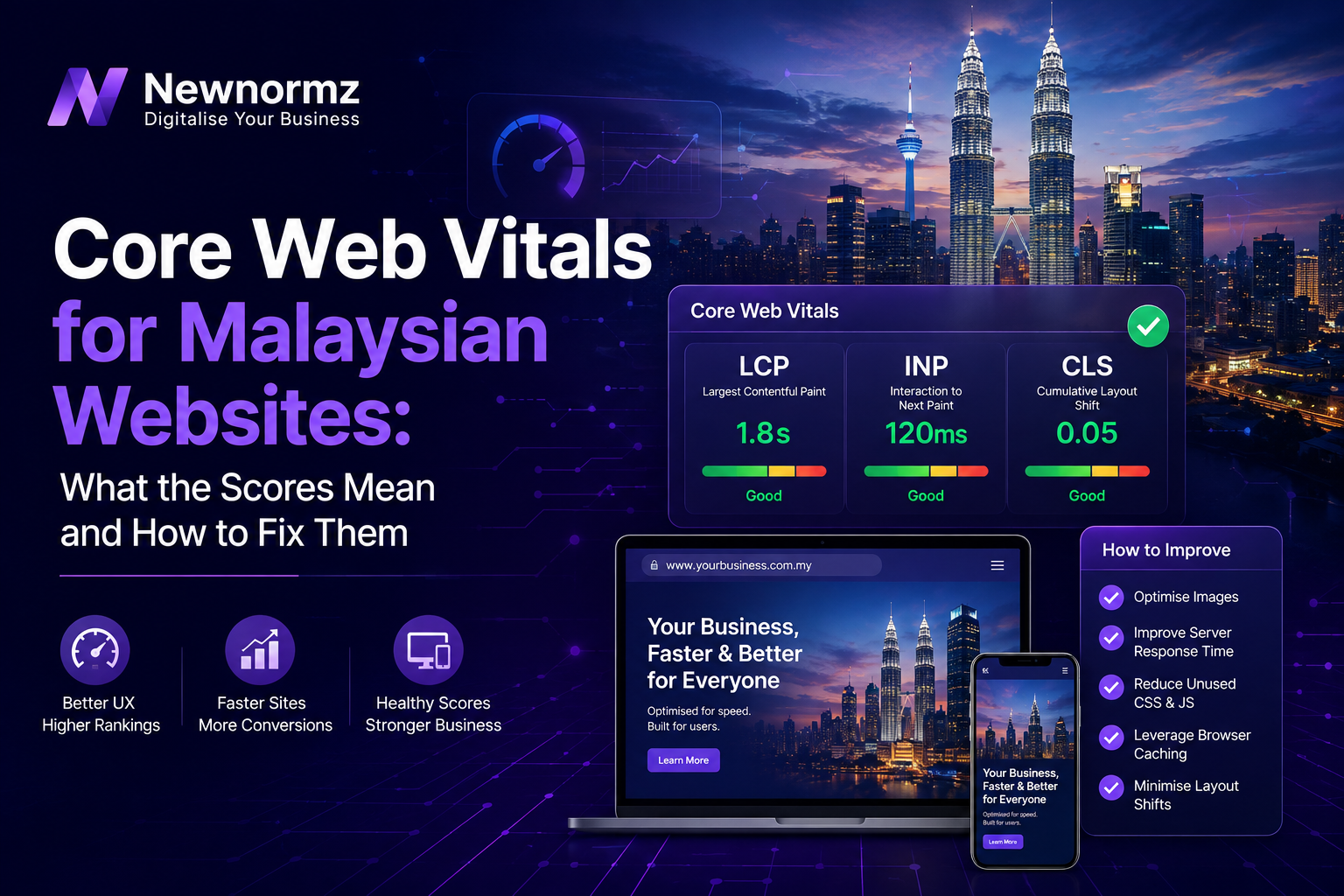
Core Web Vitals are three specific measurements, Largest Contentful Paint (loading), Interaction to Next Paint (responsiveness), and Cumulative Layout Shift (visual stability), that Google uses to judge how a page actually feels to use. They are a confirmed ranking signal, but a minor one compared to content relevance and backlinks, so fixing them won’t rescue a page that doesn’t answer the search query. What it will do is stop you losing visitors who bail before the page even finishes loading, which matters more in Malaysia than in most markets because the majority of local traffic is on mobile networks, not fibre broadband on a desktop.
A Simple Way to Think About It
The Shop With a Jammed Door
🚪 The Jammed Door
A shop with a heavy door that sticks, shelves that shift when you brush past, and a cashier who takes ten seconds to react to your card tap. Some customers push through anyway. Most just walk to the next shop. That is a website with poor LCP, CLS, and INP: technically open, but every interaction adds friction until people leave.
✅ The Door That Just Opens
A shop where the door glides open, nothing shifts underfoot, and the cashier responds the instant you tap. Customers don’t consciously notice any of it, because there’s nothing to notice. That’s the goal with Core Web Vitals: not a trophy score, but a site that removes itself from the visitor’s attention entirely.
The three metrics below are how Google measures which kind of door your site has.
What the Three Metrics Actually Measure
Core Web Vitals used to include a metric called First Input Delay. Google retired it in March 2024 and replaced it with Interaction to Next Paint, which is a stricter, more complete measure of responsiveness. So as of 2026, there are three metrics that matter, and all three are measured from real Chrome user data, not just a lab test.
Largest Contentful Paint (LCP)
How long it takes for the biggest visible element on the page (usually a hero image, banner, or headline block) to finish rendering. If a visitor on a 4G connection in Klang Valley has to wait four seconds before your homepage banner even appears, that’s your LCP problem showing up in real time.
Interaction to Next Paint (INP)
How long the page takes to visibly respond after someone taps a button, opens a menu, or fills a form field. A slow INP feels like the site is ignoring you: you tap, and nothing happens for a beat before the screen updates.
Cumulative Layout Shift (CLS)
How much the page’s content jumps around as it loads. This is the metric behind the classic mistake of tapping a button just as an ad or image loads above it, and ending up somewhere you didn’t intend to go.
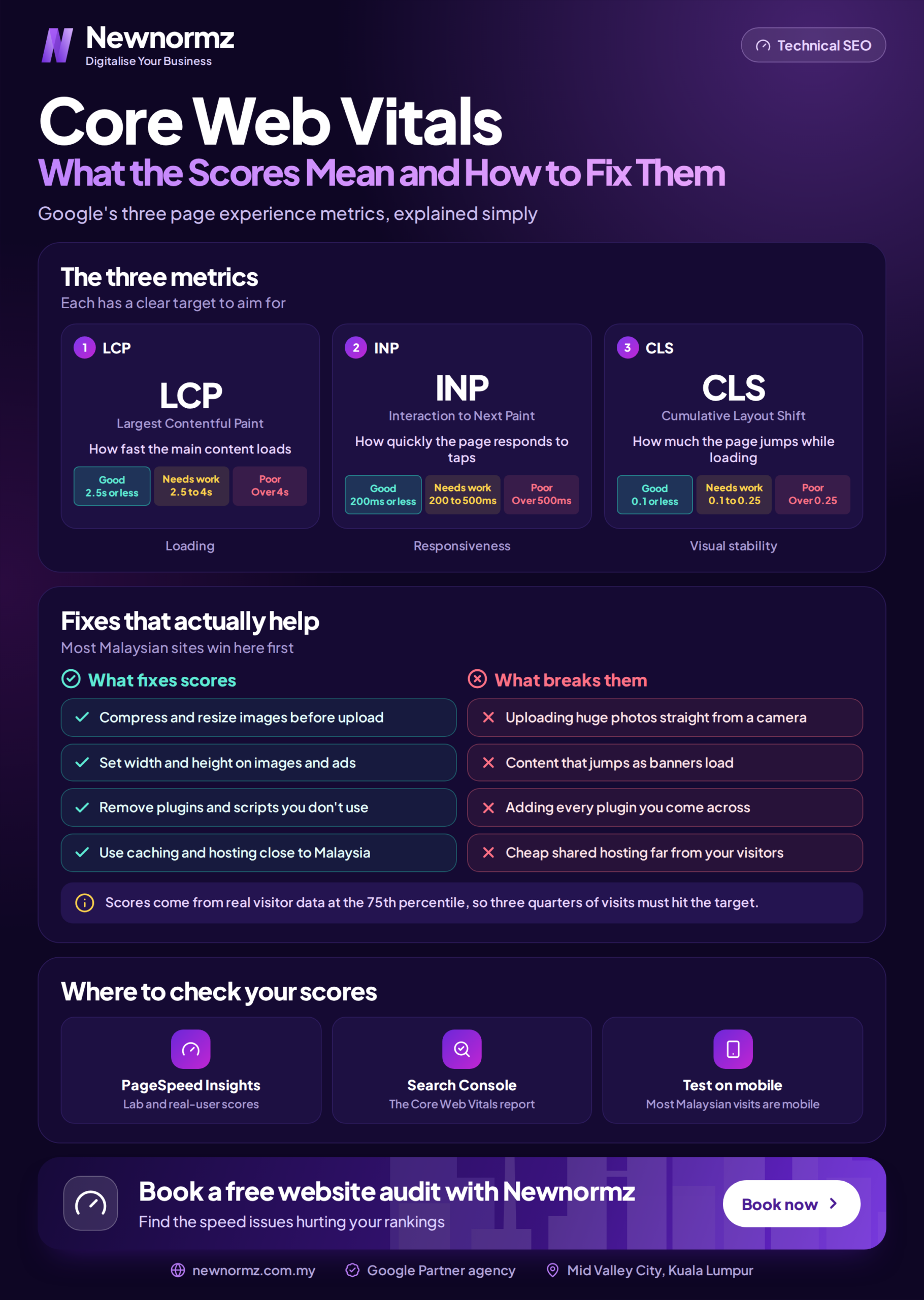
| Metric | Good | Needs Improvement | Poor |
|---|---|---|---|
| LCP | 2.5s or less | 2.5s to 4s | Over 4s |
| INP | 200ms or less | 200ms to 500ms | Over 500ms |
| CLS | 0.1 or less | 0.1 to 0.25 | Over 0.25 |
Why This Hits Harder on a Malaysian Website
Malaysia had 35.4 million internet users at 98 percent penetration going into 2026, and Google holds roughly 93 percent of search share here, which means almost every visitor arriving from search is going through Google’s mobile-first index. Three things make Core Web Vitals a bigger deal locally than the global average might suggest:
Mobile is the default, not the exception. Most local searches, from someone looking for a confinement centre in Bangsar to someone comparing parking management systems, happen on a phone, often on 4G rather than fibre. A 2.5-second LCP on office WiFi can easily become a 5-second LCP on a moving LRT.
Image-heavy industries are common. F&B menus, medispa before-and-afters, property listings, these are exactly the kinds of pages that load slowly if images aren’t compressed, and exactly the kinds of pages Malaysian SEO campaigns lean on to convert.
Hosting location adds latency by default. A site hosted on a US or EU server has extra round-trip time baked in before a Malaysian visitor even starts downloading the page. That’s on top of whatever the page itself is slow at.
How to Fix Each Metric
Fixing LCP
Compress and resize images before upload rather than relying on the browser to shrink them, serve images in WebP or AVIF instead of raw JPEG or PNG, and set up a CDN with a Points of Presence close to Malaysia so the file doesn’t have to travel across the Pacific. Preload the hero image instead of letting it queue behind other requests, and use a hosting plan with a fast server response time (TTFB), since a slow server delays everything downstream of it.
Fixing INP
The usual culprit is JavaScript: too much of it running on the main thread, often from third-party scripts like chat widgets, ad pixels, and tracking tags stacked on top of each other. Break up long JavaScript tasks, defer or lazy-load scripts that aren’t needed immediately, and audit every plugin or embed on the page and remove the ones that aren’t earning their keep.
Fixing CLS
Always set explicit width and height attributes on images and video embeds so the browser reserves the space before the file loads. Reserve space for ads and dynamically injected banners instead of letting them push content down. Load web fonts in a way that doesn’t cause visible text reflow, and avoid inserting new content above what a user is already reading.
| Common Cause | Metric It Hurts | Fix |
|---|---|---|
| Uncompressed hero images | LCP | Compress, convert to WebP, use a CDN |
| Overseas server hosting | LCP | Host closer to Malaysia or add a CDN edge node |
| Stacked chat widgets and pixels | INP | Audit and remove unused scripts, defer the rest |
| Ads injected without reserved space | CLS | Set a fixed container size before the ad loads |
| Images without width/height attributes | CLS | Add explicit dimensions to every image tag |
How to Check Your Actual Scores
Don’t guess. Google Search Console has a dedicated Core Web Vitals report under the Experience section that shows real visitor data grouped by URL, which is the most reliable source because it’s based on actual Malaysian users on actual Malaysian networks, not a simulated test. PageSpeed Insights gives you both that real-world field data and a lab test you can run on demand, which is useful for checking a fix before it goes live. Run it on a few key templates, homepage, a product or service page, and a blog post, since scores can vary a lot by page type.
This kind of technical health check is also standard groundwork inside any proper SEO service, since Google can’t rank a page it’s struggling to load in the first place. If you’re targeting a specific city or suburb, the same fixes matter for local SEO too, because local searchers are disproportionately on mobile.
What Core Web Vitals Won’t Do
Google has been consistent and public about this: no one, including Google itself, can guarantee a specific ranking position, and Core Web Vitals is one signal among many, not a switch that flips a page to page one. A perfect score on a page that doesn’t match what people are actually searching for will still rank nowhere. Treat this as removing a handicap, not as the strategy itself.
Do Core Web Vitals directly affect Google rankings in Malaysia?
Yes, Google has confirmed it’s part of the page experience ranking signal, but it’s a minor factor compared to content relevance and backlinks. It’s more useful as a tiebreaker and a conversion safeguard than as a primary ranking lever.
Why do my scores look fine on WiFi but poor in Search Console?
Search Console reports real visitor data, which for most Malaysian sites is dominated by mobile users on 4G. Your office WiFi test isn’t representative of what most of your traffic actually experiences.
Is switching to local Malaysian hosting worth it?
If your current host is overseas, yes, it directly reduces the latency that feeds into LCP. Pairing local or regional hosting with a CDN gets you most of the benefit without needing to migrate everything at once.
How often should I recheck my Core Web Vitals?
Every time you add a new plugin, widget, or major content update, since those are the most common ways a good score quietly turns into a poor one. A quarterly check is a reasonable baseline otherwise.
Not sure where your site actually stands?
Get a Straight Answer on Your Core Web Vitals
Newnormz has run SEO campaigns across F&B, healthcare, ecommerce, and local services in Malaysia, backed by a performance guarantee of 70 percent of targeted keywords on Google’s first page.
30 minutes, no obligation, and you’ll walk away knowing exactly what’s slowing your site down.

Bryan Tan is an SEO Specialist and CEO at Newnormz, helping hundreds of businesses achieve first-page rankings on Google. With a passion for driving organic growth, Bryan blends innovative strategies with hands-on experience to optimize websites for maximum visibility. Always at the forefront of the latest SEO insights and trends, he consistently adapts to the evolving digital landscape.